
Hey there, GitHub superstar! Ready to give your profile some serious swagger? With Open Readme, you'll turn your profile into a dynamic, eye-catching showcase that updates automatically with your latest GitHub stats.
Original Concept & Inspiration
Open Readme is inspired by the amazing concept from OpBento by EdgeX HQ. This incredible project sparked the idea to create an open-source alternative that developers could freely use, customize, and contribute to.
Why Open Source? We believe amazing tools should be accessible to everyone. By making Open Readme open source, we're empowering the developer community to build, customize, and improve upon this concept together.
Get Your Open Readme
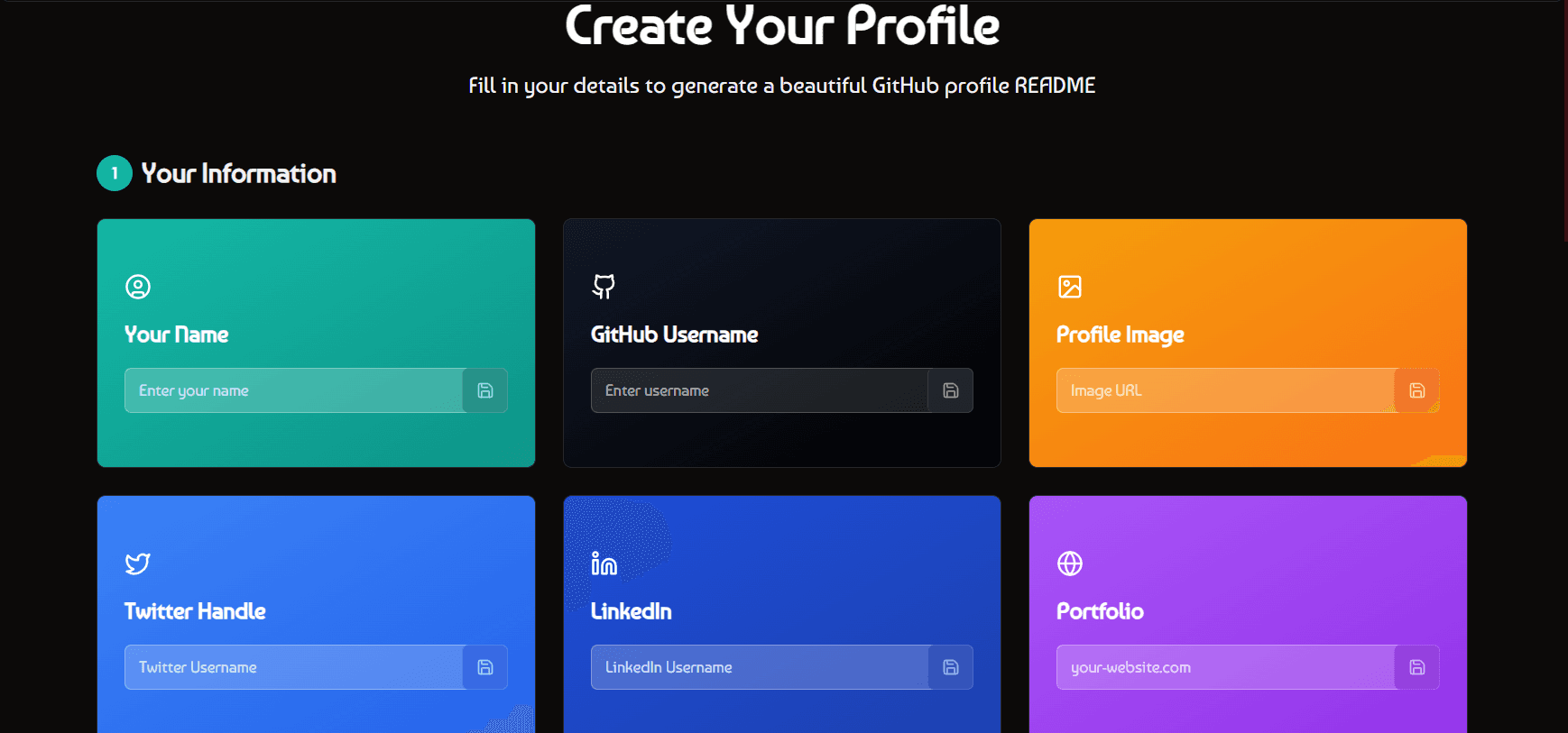
Step 1: Fill Your Profile Information
Navigate to the Dashboard and fill in your details:
- Name: Your display name
- GitHub Username: Required for fetching your stats
- Profile Picture URL: Custom image (optional, defaults to GitHub avatar)
- Twitter Handle: Your Twitter/X username
- LinkedIn Username: Your LinkedIn profile name
- Portfolio URL: Your personal website or portfolio
Step 2: Save Your Data
Click the save button (💾) next to each field to save your information. Your data will be stored and used by our automated workflow to generate your profile image daily.
🤖 Automated Daily Updates
Once your profile is saved, our GitHub workflow automatically generates and updates your profile image every day at midnight UTC with your latest GitHub stats!
Getting Your Profile Image
📸 Your Profile Image URL
After saving your profile data, your image will be available at a static URL. You can find your unique image link in the dashboard after the first generation.
https://raw.githubusercontent.com/ravixalgorithm/openreadme-images/main/[your-hash-id].png🔄 Automatic Updates
Your profile image updates automatically every day at midnight UTC. The URL stays the same, but the image content refreshes with your latest GitHub statistics!
💡 Pro Tip
You can update your profile information (Twitter, LinkedIn, profile picture, etc.) anytime by going back to the dashboard and saving your changes. The workflow will use your updated data in the next daily generation.
Using Your Profile Image
Add your Open Readme profile image to your GitHub profile or any repository:
Copy Your Image URL
Get your unique image URL from the dashboard after generation
Add to README.md
Use markdown to embed your image in any README file:
Commit and Push
Save your README.md and push to GitHub. Your profile image will display with automatic daily updates!
🎨 Customization Options
Want to customize your profile theme? Visit the dashboard to select from multiple beautiful themes and see a live preview before saving!
And That's It! 🎉
Congratulations on setting up Open Readme! Your GitHub profile now has a unique, eye-catching grid that showcases your projects, updates with your latest activity, and is ready to impress anyone who visits.
If you found this guide helpful, please consider giving it a ⭐ on GitHub. It helps others discover the project and motivates continued development. Thank you! 🙏